Instax Strobe Kit Giveaway

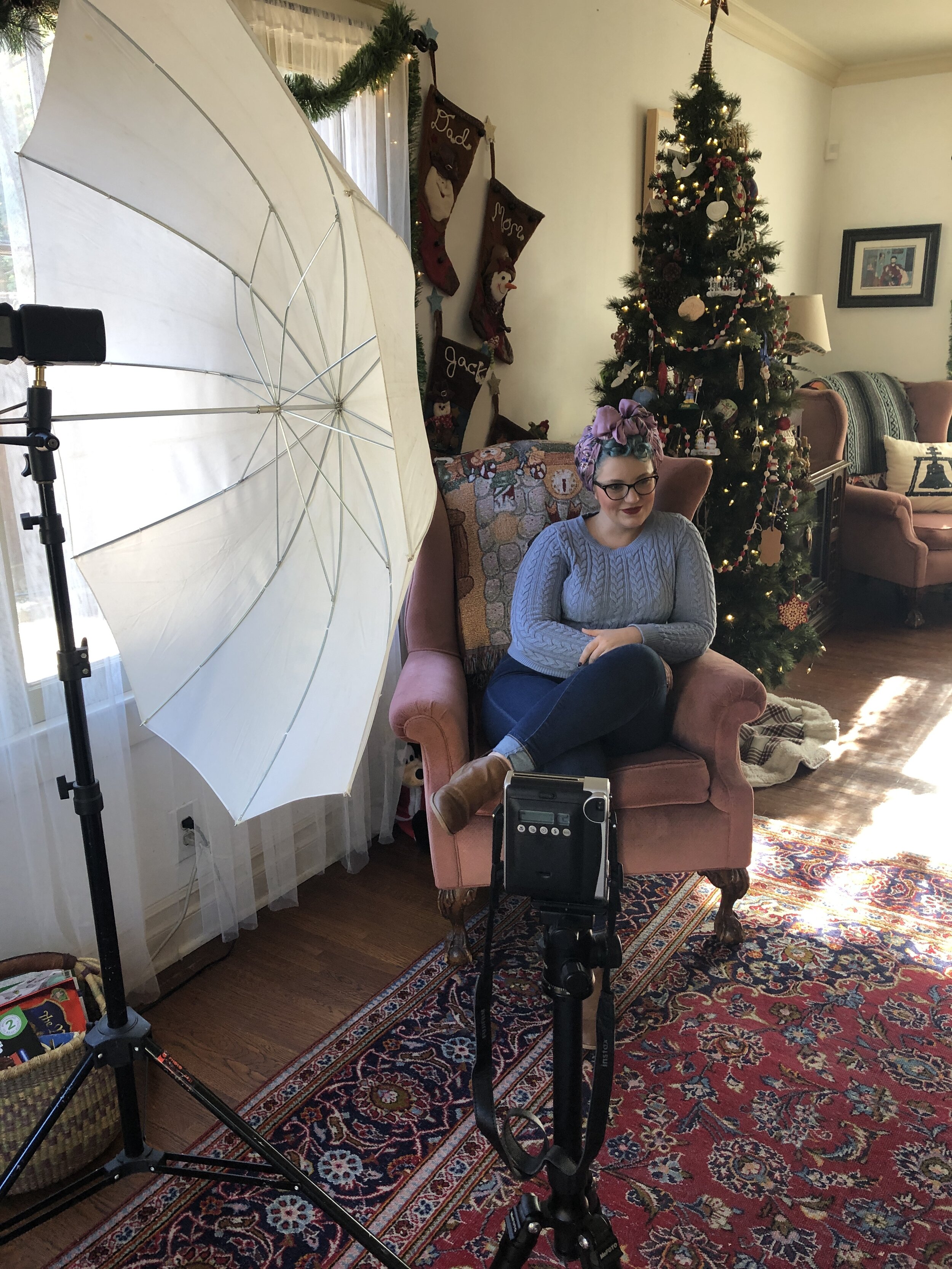
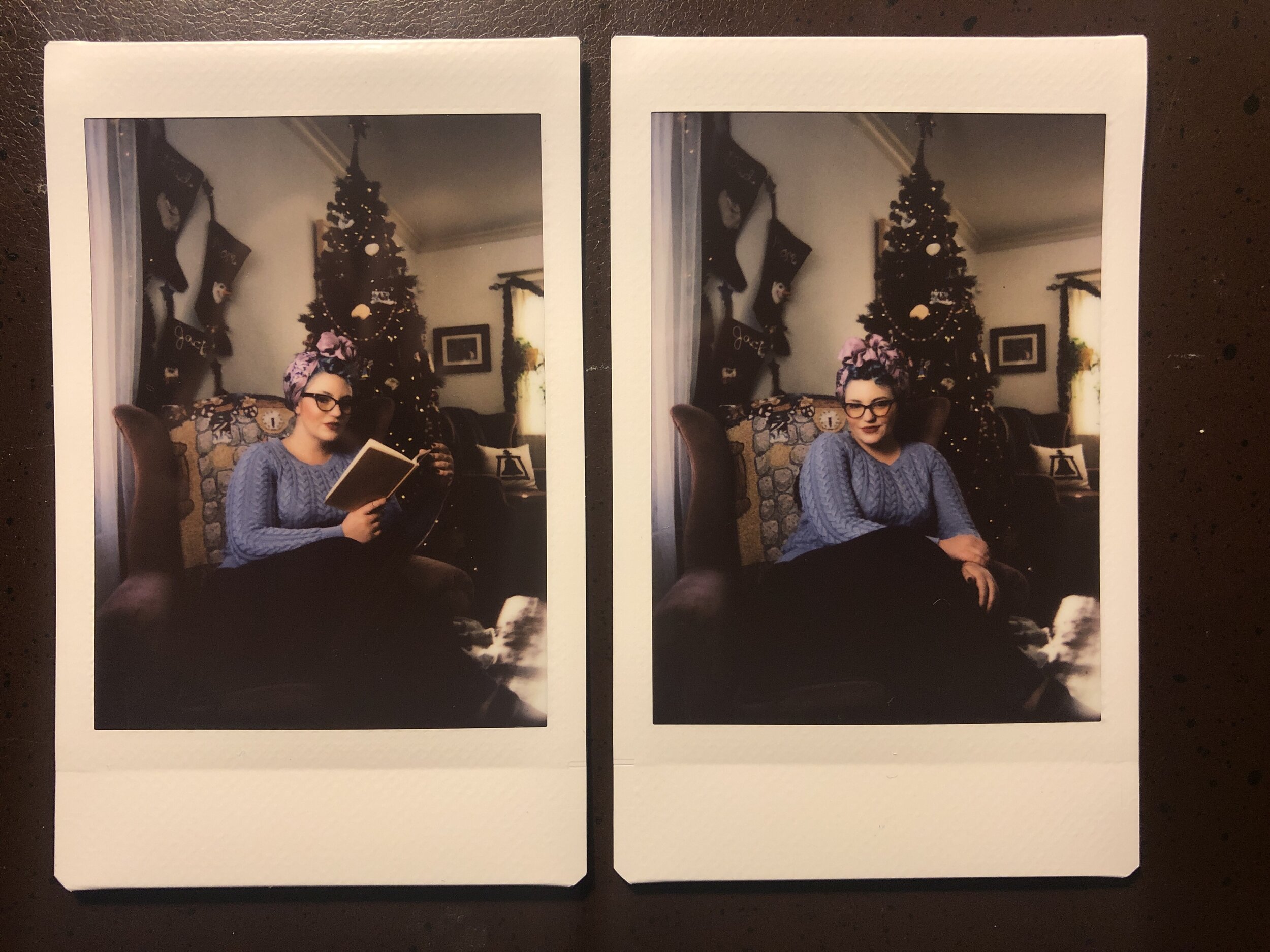
CONTEST CLOSED! Thanks for your interest!
Instax Strobe Portrait Kit Giveaway!
To kick off 2020, I’m giving away a complete Instax Strobe Kit!
In 2019 one of the most popular pages on my website was the tutorial for using Off Camera Flash with an Instax instant camera, link right here:
Instax + LP180: Using off camera flash for your instant prints
You will get everything you need to create your own custom light for your instant portraits:
Instax Mini90 Camera + Pack of Instant Film
LumoPro LP180 Strobist Kit - Manual Flash Unit, Light Stand, Umbrella, Sync Cables, Carrying Case
Sekonic L-308x Flash Meter
How To Enter
To enter this giveaway is simple:
Enter your email and Instagram handle below (This is very important, some prize items are shipping directly from the partner, we need to be able to coordinate delivery)
Make sure you follow @danieltjester on instagram
Like the giveaway post: Click Here
Comment and tag TWO friends that you think would be interested in winning
A quick note:
We respect your privacy. Please note, by entering this giveaway, you agree to receive emails from me and from prize contributors like Sekonic (You can read their privacy policies by clicking the link)
Contest will close on Sunday January 12. Winner will be randomly selected from Instagram comments, notified via email, and announced on Instagram the week of Jan 13. Must be 18 or older and prize pack must be shipped to a US address to win.
Fake The Setting Sun with Off Camera Flash
My wonderful and beautiful wife Alesia from our maternity shoot for our third child Rockford. The sun had gone down behind some low clouds and foothills when we saw this patch of flowers. To recapture that sunset feel, I faked the setting sun with my LumoPro LP180 and a CTO gel.
I really like having light sources in frame. Or at the very least, shooting light towards my lens. When I’m shooting outside, I pretty much always try to shoot INTO the sun.
I know, it’s a little outside of some peoples understanding of the "rules" of photography.
I’ve tutored new photographers who think I’m crazy when I set up a portrait shooting into the sun. I just love it.
However, on more than one occasion I’ve been shooting away and the sun dips below the horizon. Or it was obscured by some low cloud cover. Or it was 1pm in July. Sometimes the sun isn’t where I need to it to be, in order for it to be visible behind my subject.
So, I fake it. Here are a few examples.
This was shot at approximately 1pm. The sun was obscured by tree canopy and we faked the setting sun with OCF.
This one is a little more subtle, just a very slight lightwash, from just out of frame.
Fake setting sun (the sun had already dipped below the ridge line and some low clouds). Note the placement at the edge of the frame and just above the distance hills.
This set up also included a reflector to bring some light back onto Blanca's face.
This set up is a little more in your face in a sense. This is designed to look like the sun coming through a gap in the tree coverage. The actual sun was higher up in the sky in roughly the same area.
You can achieve this look with a single speed light, a half or full CTO gel (gelled to taste), and a little know-how.
Step One: Understanding
The key thing to remember here is that the strobe is not your main light. This lighting method is the very essence of blending off camera flash with ambient light. In all except for one of the above examples, the ambient light is the main light and the “sun” light is kept relatively low output to blend in with the ambient exposure. Like the secret to a good haircut or a killer smoothie, its all in the blending.
Step Two: Expose Properly
Get your ambient exposure at or a little above where you want it. If you’re working on a close in portrait (chest, head, and shoulders) you can bounce light off a reflector and back into your subjects face. Overexposing the ambient light slightly will go a long way in making your strobe blend with the daylight.
This was the ambient for this shot. You will see we need to expose OVER this to help the strobe blend with the natural light.
This is a great example of the ambient light being too low and making your cone of fake sunlight obvious. Blend Blend Blend!
Step Three: Place and set your light
Get your CTO gelled flash in frame or JUST out of frame and set power output to your desired effect. play around with the blending of it until it looks natural.
We finally hit the goldilocks ratio of ambient and strobe. The result is a totally convincing setting sun.
Step Four: Realize this doesn’t always work
This is a little hard to explain, but there are a few situations where this just wont work. It will look fake and contrived. The most common situation is where there are a lot of objects between your flash and your subject. The cone of light is not sufficient to fake sunlight on all objects in the frame. You want to make sure that any objects aside from your subject are being hit by this fake sunlight also, otherwise it will just look really fake. Observe the image above, where our cone of light is obvious. It is a combination of underexposure of the ambient light, and the viewer seeing too many background elements that SHOULD be affected by the "sun" light, but aren't.
Step Five: Remove light stands in post (if necessary)
Whenever possible I hide light stands or use a LumoPro studio clamp to reduce the amount of post processing I have to deal with. In general however, it's not terribly difficult to remove a light stand in Photoshop.

Lucy Jane Totes - A Colorful Workspace Story
The Calm Before The Storm
I met Kim of Lucy Jane Totes through my wife. The two of them had met at a women's function shortly after our arrival in Louisville. When the subject came up of how the Jester family ended up in Kentucky, Kim was very excited to learn that I moved here to shoot product for Amazon. Kim had been stuck in a rut with her product photography and was interested in learning some new techniques to help her achieve more flexibility and consistency. I absolutely adore teaching, and when I get a chance to help a small business out, even better.
We got together for a single hands on session and that was all she needed to springboard herself to the next level. During that session, I took note of Kim’s incredible workspace. It was clean, organized, and very well decorated. The wheels started turning on how we could do some really great environmental portraits of Kim in her space.
Getting down to work. A rare glimpse of Alicia in front of the camera.
One of the benefits of working in a production studio is your coworkers. I work with some extraordinarily talented people on a daily basis, and since most of us are recent transplants to the area, most everyone is very motivated to collaborate on projects outside of work. Alicia Cannizzo is one such talented person. As a stylist for Amazon, she is regularly taking product straight from it’s packaging and making it look amazing. Alicia and I connect a couple of different levels, and one of those levels is our belief in the power of good visual merchandising. I knew that she would be a good fit for Kim’s incredible space.
The next time I saw the space, it was shoot day. For our first shot, we were going to frame Kim through the opening from her foyer into her workshop. The theme here would a peak into her workshop from a “normal” part of her house. The composition technique would be framing. Framing the space in the doorway frame, framing her inside the box created by her work table and the top shelf behind her, and finally framing her form out with decor and props on her shelving.
The key here would be impeccable set dressing, which is where Alicia comes in.
I literally mean hours were spent dressing this set.
Every single prop, piece of decor, bolt of fabric and tool in this shot was placed with intent and after much discussion. There is not a single part of this image that is not 100% intentional. This is one of my key tenets of photography: Do everything with purpose. If someone asks you “why is it like this?” always have an answer. Always have a reason for this prop or that light. You control the perspective, so own it 100%.
For lighting design, this was all about mimicking how this room looks in person, which is awash with light. The lighting would be simple: blast the corners of the room with strobes and generally boost the amount of light in the room. We would use the window light as fill and the key light would come from a Broncolor monolight hitting the wall opposite the windows.
The room was lit in three zones, the foyer, the workroom, and the back corner.
Here is the final scene with only the window light. This light was used for fill in the final lighting design.
Shown here is foyer light + window light only. Broncolor Minipuls C80.
Shown here is the key light + window light only. Broncolor Minipuls C80.
Shown here is the fill light for the back, camera right corner of the work room. LumoPro LP180.
The foyer light was simply to keep the dim foyer even with the workroom. As mentioned above, the key light was used to boost the way the natural light looks in person, but allow us to shoot at settings that will net us the sharpest, cleanest images. Finally the back corner light was used to address light fall off in that back corner, which was betraying the fact that the scene was lit with strobe.
Once the light was dialed in, we spent literally HOURS fine tuning the set dressing. I think the time and effort really pays off. The result is an image that I’m in love with, and I wouldn’t change a thing about it.
The final shot. Well, one of several really solid options. I like this one a lot because of the quiet confidence that Kim exudes. For the record, that confidence is earned. Her product is top notch.
Tech Details
Camera: Fujifilm X-T1
Lens: Fujinon 35mm F1.4
Camera Settings: 1/15 @ F4, ISO 200
Foyer Light: Broncolor Minipuls C80, with shoot thru umbrella aimed into the corner
Key Light: Broncolor Minipuls C80, reflector only, aimed towards wall, camera right
Corner Fill Light: LumoPro LP180, with shoot thru umbrella
Radio Trigger: Pocket Wizard Plus III
Other Details: Tethered shooting into Lightroom. Imported images into Capture One Pro 9.1 for editing and processing
Purchase one of Kim's bags here:
www.LucyJaneTotes.com

Shooting Your Kids - 5 Tips From a Photographer and Father of 3
Top 5 tips for shooting your kids from a photographer and father of 3
Far and away the best part about being a photographer is that I have access to solid photography all the time. As a father of 3, that comes in really really handy. I've been thinking a lot about how to get great shots of your kids, and here are the top 5 things I came up with.
Disclaimer: These are more philosophy related, than technical tips, although I will include a few quick tips at the end of this post.
Here we go!
Patience and a little bit of right place/right time can create some really nice images.
Patience
Arnold H. Glasow said “The key to everything is patience. You get the chicken by hatching the egg, not by smashing it.” As parents, you and I understand this concept probably more than most people do. Children have a way of requiring seemingly inhuman amounts of patience. This virtue is the number one key to getting great photos of your kids. I can’t stress enough how critical it is, and there are a few aspects to it.
You need classic, good old fashioned patience. Not losing your cool. Going with the flow. You don’t want your kids on edge when the camera comes out because they’ve come to associate it with mom or dad getting snippy and pushy.
You also need patience in the form of restraint. Don’t try to snap away at every moment. Be selective in what you shoot, and leave the image reviewing until later. It’s a hard habit to break, but burying your nose in the LCD screen is a surefire way to lose your kids cooperation. Be present in the moment with them (more on this in step 5).
Lastly, you need to recognize that you may not get a great shot this time around, but with perseverance you will eventually get some incredible pictures of your kids.
Sometimes you just don't get the shot you want. And sometimes the result can still be pretty fun.
Technique
The second most important thing is having a good grasp on photographic technique. Understanding how the functions of your camera work together to achieve exposure is critical. If your kids are moving around a lot (which they definitely are) you probably want a pretty fast shutter speed in order to freeze the action. But you also probably want pretty generous depth of field if they are moving toward you or away from you, which means a smaller aperture setting. The only way to reconcile those two things is to increase ISO.
There are a lot of ways to get the right exposure, the example above simply illustrates that you need to understand and be thinking about photographic technique and fundamentals during your session. If you don’t know the basics, take a class. A simple community college course will be enough to get you started, and the rest is practice and patience (see above).

Hannah runs away from me, but with the right shutter speed and aperture (thus, depth of field) I still get a killer shot
Planning
If I had to take these 5 tips and cut them back to 3, planning would make the cut. Even when keeping it simple and casual, planning is vital. You have a secret weapon when it comes to planning! They are YOUR kids. That means you shoot on your schedule, and because you control meal time, nap time and bed time, you can leverage all of these things to work in your favor.
Maybe Jackson is usually a little grumpy right after nap, but tends to open up and get silly about an hour before dinner. That might be the time to strike. Maybe Hannah is really cuddly and sweet first thing in the morning, that might be the right time for a quick mother daughter photo shoot. Leverage your kids naps and bed times to work in your favor also. If you want to shoot with strobe, use the kids nap time to dial in light. Use a stuffed animal as a stand in so there is no guess work once the clock is ticking. All parents understand that good behavior in children is basically equity that can be depleted, so wasting it is generally not wise.
This family Christmas portrait took tremendous planning and testing, all of which was done before the kids ever got in the shot. Even so, we still had to just put Hannah to bed and then bring her out while asleep. Sometimes they just don't want to cooperate.
As an aside, here’s another pro tip that is planning at the macro level. Give your kids the bedroom that gets the best light in the house. Seriously. Your kids are comfortable in that space and will open up and you can get some incredible photographs right in their own bedroom.
See what I'm saying about the room with the best light? Shot on film: Kodak Portra 120mm, Yashica 635
Routine
By routine, I don’t mean it should be a daily or weekly occurrence that should be treated like bath time or church. I mean do it often enough that it’s not out of the ordinary. And when the camera comes out, don’t make it a big deal. Just have it there, engage with your children, and snap a few frames. Making it an ordinary part of your life does two main things for you:
1. It desensitizes your children to the camera and your behavior while shooting. This will allow them to be more comfortable and act natural, allowing for more opportunities for those delicious candid moments.
2. It increases the likelihood that you will get something really magical, just because you will be shooting more often.

Since Dad always has a camera, Hannah just goes on about her business.
Playfulness
Just play with your kids. Have your husband or wife play with your kids and when they run away from you, or toward you, or turn to pour tea into Banjo’s teacup, lift the camera and snap your shot. No fuss, just be present, be playful and occasionally snap a frame or two.
Remember: You’re a parent first, and photographer second. Don’t sacrifice their desire for your attention in order to get the shot. They will reward your patience (that word again!) with cooperation and candidness that will result in images you will cherish for the rest of your life.
Rocky laughs at silly Daddy
A Few Final Thoughts
I promised a few technical tips, so here you go:
- Get down to their level, or lower. There are very few interesting shots of kids from an adults perspective
- Don't ask them to smile or say cheese. Make them laugh instead. Kids do weird things when you ask them to smile.
- Use strobes aimed at the ceiling in two or more corners of the room for indoor shots, if you are short on light. This will create a natural looking boost in the overall room light.
The light in this room was boosted with 2 LumoPro LP180 manual speedlights in opposite corners aimed into the corners.
Finish strong.
Instax + LP180: Using off camera flash for your instant prints
The Fuji Instax camera is a really fun throwback to the days of Polaroid and instantly sharing analog prints with your friends. I've really enjoyed my Mini 80 over the last year or so, but I suddenly realized it had much more potential after a little bit of testing in my studio late one night.
I thought to myself: Can I improve the general photographic quality of the Instax print by building better lighting set ups? The camera has no PC sync jack or hot shoe, how can I trigger my strobes? Then it dawned on me. If I could redirect the on board flash and use that output to trigger the optical slave on my LumoPro LP180, I could override the camera flash and build much more interesting light for my fun little camera.
Here's how to do it.
Things You Will Need
- Your Instax camera
- A light meter
- A manual flash with optical slave (LumoPro LP180)
- A flag/reflector/foam core/grey card or some other means of redirecting the camera flash
- Light stand and modifier (if desired)
Things You Need To Know
- Instax film ISO is 800
- You will be using the On Board Flash to trigger the optical slave on the manual Off Camera Flash
- This tutorial is geared toward people who have the required equipment and a good understanding of Off Camera Flash use
Steps Overview
- Measure output from the Instax on board flash
- Create new light setup that matches output measured in step one
- Shoot away while carefully flagging the onboard camera flash
You will need your Instax, a light meter, and your Manual Off Camera Flash - You SHOULD be using the LumoPro LP180
You may also need a light modifier, if you so desire. Shown here is the LumoPro Small Softbox.
Step One: Determine your Instax output
Start by positioning your Instax in relation to your subject. You want to try to position the camera where you get the best results with the on board flash (referred to as "OBF"). I had mine about 3-4 feet away from Oxana, my studio assistant. Positioning the camera in the right place will allow you to meter the output that gives you the best results. The first time I set this up I remember the OBF reading about f8, this time it read f11, which was a little too hot, so I think f8 is about where the money is.
Setting up the Instax to read the light output on Oxana, my studio assistant.
Meter reading. Don't mind my knuckle reflection.
Now it's disclaimer time: I have no way of knowing if this is the right aperture for every Instax camera. While f8 is probably a good jumping off point, I encourage you to test on your own if you have the means to do so. Different studio set ups may yield different results. It's probably worth noting this was done in a pretty dark studio.
Test the output by setting your meter to flash detection mode and pop the OBF by triggering the shutter. You will probably want to do this with no film in the camera because Instax ain't cheap. If you keep an empty film cartridge, you can trick the instax into thinking it has film in it and it will allow you to trip the shutter and trigger the flash. Do this a couple of times to make sure you've got an accurate reading.
Once you have your meter reading, you can move on to step 2.
Step Two: Set your off camera flash to fire at the same output as your Instax
You have your meter reading, now it's time to set your OCF in your desired position and set the power to match the output of your Instax OBF. For anyone experienced in OCF, this step is not difficult at all, but there are some things to remember. First, make sure your LumoPro LP180 optical slave will be able to see the OBF from the Instax. Second, you can position your lights however you want, as long as the light hitting your subject matches the output of the Instax, your exposures will look great. You will also want to make sure your optical slave is set to trigger on the FIRST flash it sees. On the LumoPro LP180, this setting is S1. You will want to do a few test pops to make sure that your OCF can see the flash from your OBF.
Set the optical slave on the LP180 to S1
Finally Step Three!
At this point, you're ready to start shooting. The final trick is to deflect the OBF light away from your subject with whatever flag/card/reflector you want. You do NOT want the OBF to have any influence on your subject, but you DO need the flash to trigger the optical slave on your OCF.
VERY IMPORTANT: Use your card or flag or whatever to deflect the OBF away from your subject, but toward the optical slave on your OCF.
Front View: Using this grey card to keep the OBF off of my subject, but bouncing it toward the optical slave of my LP180.
From here on out, it's time to have fun! try different light set ups and experiment! These cameras are quite fun on their own, but with this method you can really turn them into a creative tool. Go create!
A few test shots using OCF with the Fuji Instax Camera and the LumoPro LP180.